

Bank Link SDK v3.0
Overview
Section titled “Overview”This guide explains the Bank Link SDK workflow and provides step-by-step instructions for integrating the GrailPay Bank Link SDK into a web application and successfully completing the bank-linking process.
Bank Link SDK URLs
Section titled “Bank Link SDK URLs”- Production —
https://banklink.grailpay.com/grailpay-banklink.js - Sandbox —
https://banklink-sandbox.grailpay.com/grailpay-banklink.js
Requirements
Section titled “Requirements”Before integrating the Bank Link SDK, ensure you have the following:
- A Bank Link API Key
- The Bank Link SDK Script URL for your target environment
Environment Configuration
Section titled “Environment Configuration”GrailPay provides separate SDK script URLs and API keys for each environment.
- Sandbox — Use the sandbox SDK script URL along with your sandbox Bank Link API key.
- Production — Use the production SDK script URL along with your production Bank Link API key.
Integration
Section titled “Integration”Add the SDK Script
Section titled “Add the SDK Script”Include the following script tag in your application, replacing <sdk_url> with the SDK URL for your target environment:
<script src="<sdk_url>"></script>Initialize the SDK
Section titled “Initialize the SDK”Call GrailPay.BankLink.init() to initialize and launch the SDK. The only required parameter is token — all other
parameters are optional and can be added as needed for your integration.
document.addEventListener('DOMContentLoaded', function () { GrailPay.BankLink.init({ token: "YOUR_BANK_LINK_TOKEN" }) .then(() => { console.log("SDK initialized successfully"); });});Configuration
Section titled “Configuration”Entity Management
Section titled “Entity Management”If you are linking a bank account to an entity that has already been onboarded with GrailPay, pass the entity’s UUID
during initialization. If omitted, the SDK will create a new entity and return its UUID via the onEntityCreated callback.
GrailPay.BankLink.init({ token: "YOUR_BANK_LINK_TOKEN", entity_uuid: "EXISTING_ENTITY_UUID", entity_type: "person", client_reference_id: "YOUR_REF_ID"});| Parameter | Description |
|---|---|
entity_uuid | UUID of an existing Person or Business already onboarded with GrailPay. Omit or set to null to create a new entity. |
entity_type | Specifies the entity type to create. Accepted values: person, business. |
client_reference_id | A client-defined identifier associated with the created entity and connected bank account. |
Branding
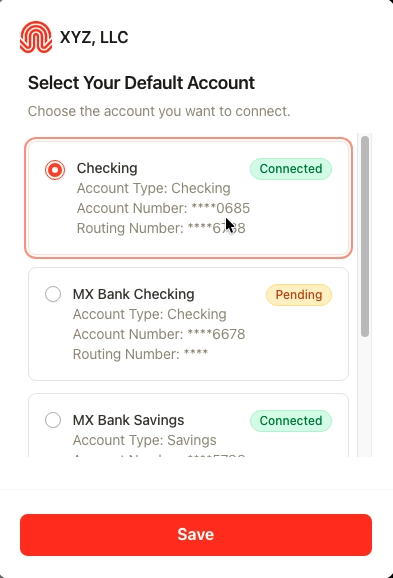
Section titled “Branding”You can customize the SDK’s appearance to match your application by providing branding configuration during initialization.
GrailPay.BankLink.init({ token: "YOUR_BANK_LINK_TOKEN", branding: { company_name: "XYZ, LLC", logo: "https://yourapp.com/logo.png", primary_color: "#ff3902" }});| Parameter | Description |
|---|---|
branding.company_name | Display name shown as the SDK title. |
branding.logo | Public URL of your brand logo displayed in the SDK. |
branding.primary_color | Hex color value used to theme the SDK to match your application. |
Billing
Section titled “Billing”If billing should be attributed to a specific Merchant, pass the Merchant’s UUID or processor MID during initialization.
GrailPay.BankLink.init({ token: "YOUR_BANK_LINK_TOKEN", billing_merchant_uuid: "EXISTING_MERCHANT_UUID", billing_processor_mid: "EXISTING_PROCESSOR_MID"});| Parameter | Description |
|---|---|
billing_merchant_uuid | UUID of a specific Merchant to whom billing should be attributed. |
billing_processor_mid | MID of a specific Merchant to whom billing should be attributed. |
Callbacks
Section titled “Callbacks”Register callback functions during initialization to respond to events throughout the Bank Link flow.
GrailPay.BankLink.init({  token: "YOUR_BANK_LINK_TOKEN",
  onEntityCreated: function (data) {    console.log("Entity created", data);  },  onBankConnected: function (data) {    console.log("Bank connected", data);  },  onLinkedDefaultAccount: function (data) {    console.log("Default account linked", data);  },  onLinkExit: function (data) {    console.log("User exited", data);  },  onError: function (error) {    console.error("Error occurred", error);  }});
onEntityCreated Callback
Section titled “onEntityCreated Callback”Triggered when a new entity (Person or Business) is successfully created.
{ "entity_uuid": "a198d598-8a87-47b0-95db-102f12ce8b2d", "entity_user_uuid": "a198d598-68b5-42b3-9367-521a105f8eb6", "entity_type": "business", "created_at": "2026-04-21 13:25:06"}onBankConnected Callback
Section titled “onBankConnected Callback”Triggered after successful bank account connections. Returns all linked accounts with their respective statuses.
{ "entity_uuid": "a198d598-8a87-47b0-95db-102f12ce8b2d", "entity_user_uuid": "a198d598-68b5-42b3-9367-521a105f8eb6", "bank_accounts": [ { "account_uuid": "019db039-4aa4-73c9-bd48-d9e8489dbc5b", "account_number_last4": "1111", "routing_number_last4": "1533", "account_name": "Plaid Silver Standard 0.1% Interest Saving", "account_type": "savings", "institution_name": "Chase", "aggregator": "PLAID", "status": "connected", "created_at": "2026-04-21 13:27:17", "updated_at": "2026-04-21 13:27:18" } ]}onLinkedDefaultAccount Callback
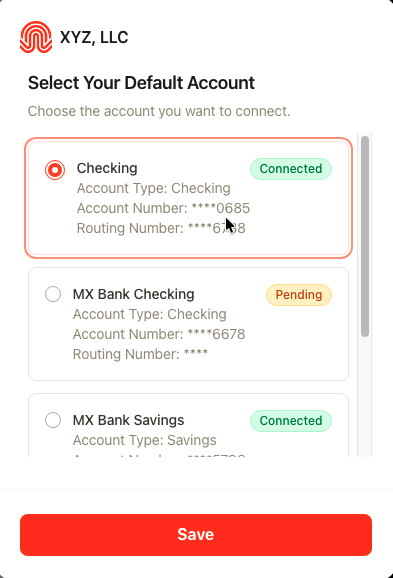
Section titled “onLinkedDefaultAccount Callback”Triggered when a default bank account is selected. Includes account details and status (pending or connected).
{ "entity_uuid": "a198d598-8a87-47b0-95db-102f12ce8b2d", "entity_user_uuid": "a198d598-68b5-42b3-9367-521a105f8eb6", "bank_account": { "account_uuid": "019db039-4aa4-73c9-bd48-d9e8489dbc5b", "account_number_last4": "1111", "routing_number_last4": "1533", "account_name": "Plaid Silver Standard 0.1% Interest Saving", "account_type": "savings", "institution_name": "Chase", "aggregator": "PLAID", "status": "connected", "created_at": "2026-04-21 13:27:17", "updated_at": "2026-04-21 13:27:18" }}onLinkExit Callback
Section titled “onLinkExit Callback”Triggered when the user cancels or exits the bank link process.
{ "entity_uuid": "a198d598-8a87-47b0-95db-102f12ce8b2d", "entity_user_uuid": "a198d598-68b5-42b3-9367-521a105f8eb6", "status": "COMPLETE", "exited_at": "2026-04-21 13:27:27"}onError Callback
Section titled “onError Callback”Triggered when an error occurs during the flow, including integration issues, authorization failures, or widget launch errors.
{ "error_message": "Invalid token.", "entity_uuid": null, "entity_user_uuid": null, "failed_at": "2026-04-21 13:32:08"}Tokenized Account Numbers
Section titled “Tokenized Account Numbers”Some financial institutions issue a Tokenized Account Number (TAN) in place of the account holder’s real account number when an account is connected through open banking. A TAN is a securely generated stand-in for the real account number — it is paired with a routing number, can be used for ACH transactions exactly like a standard account number, and is resolved back to the underlying account by the issuing bank at settlement.
Tokenization limits the exposure of real account credentials and allows the account holder or their financial institution to revoke a specific application’s access to the account without disrupting the account itself.
Chase is the institution most commonly returning TANs today. Other large institutions are expected to adopt the same approach, so your integration should not assume this behavior is limited to a single bank.
What This Means for Your Integration
Section titled “What This Means for Your Integration”When an account is first connected, GrailPay receives a masked identifier representing the last four digits of the customer’s real account number. Later, when full account details are retrieved for payment processing, the institution may return a TAN rather than the real account number.
As a result, the account number GrailPay stores and uses for ACH processing may not match the last four digits your customer saw during the linking flow. This is expected behavior and does not indicate that a different account was connected.
To keep the customer-facing identifier consistent, GrailPay always sets account_number_last4 from the masked value
captured at connection time, and never overwrites it when full account details are retrieved later. The account_number_last4
returned in the onBankConnected and onLinkedDefaultAccount callbacks will always reflect the customer’s real account
number, not the TAN.
Closing the SDK
Section titled “Closing the SDK”To programmatically close the SDK at any time:
GrailPay.BankLink.close();Bank Link Flow
Section titled “Bank Link Flow”Once initialized, the Bank Link SDK guides the user through the following steps:
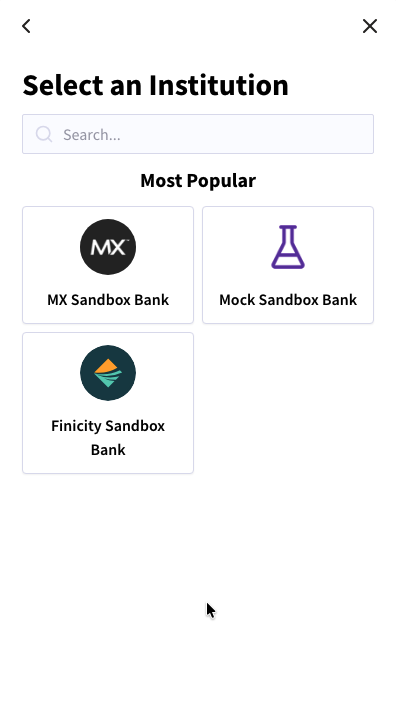
Finder Screen
Section titled “Finder Screen”The initial screen where users select their bank from the available list.
{/* TODO: Replace with hosted image path */}
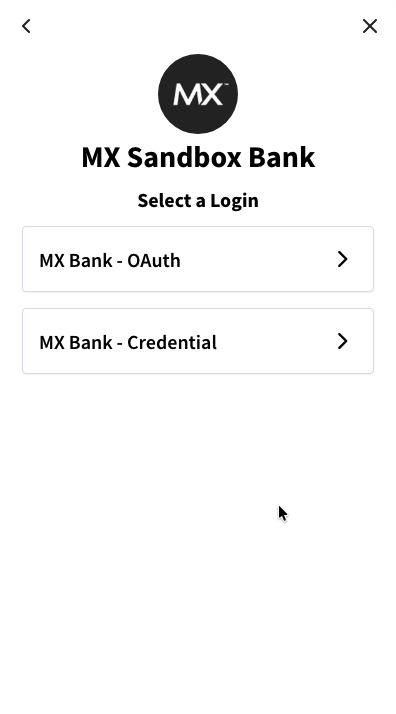
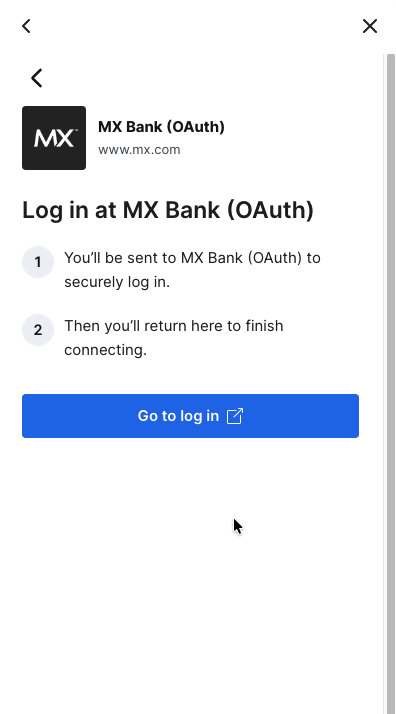
OAuth Screen
Section titled “OAuth Screen”Users authenticate securely using their bank credentials via the bank’s OAuth flow.
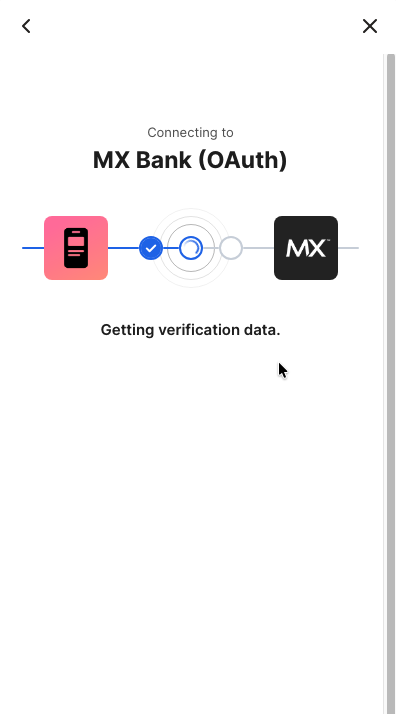
Processing Screen
Section titled “Processing Screen”The system processes the selected accounts and connects them to GrailPay.
Default Account Selection Screen
Section titled “Default Account Selection Screen”After a successful connection, the user selects a default account for payments.
Questions?
Section titled “Questions?”If you’re encountering any issues, please reach out to support@grailpay.com.
Maintained by EkLine